

What's new
Review your video clips in one gallery
Social Charm's new clip gallery puts your finished video clips together for review. Preview, favorite and download each clip, with captions and hashtags tucked away until you need them.
Review your clips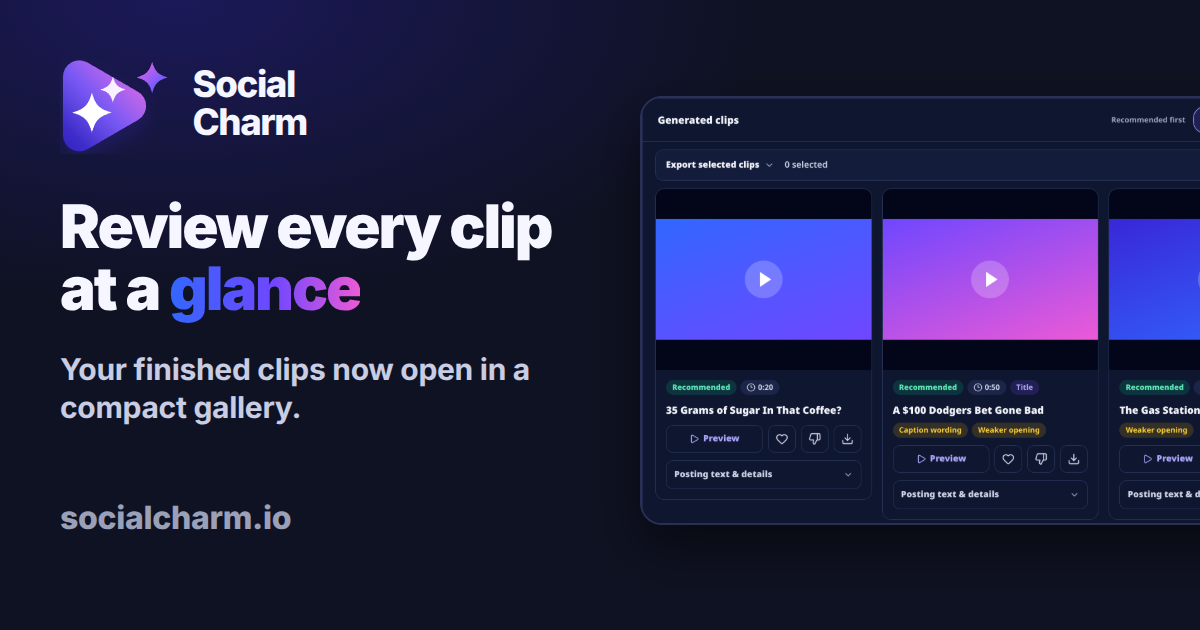
When your recording has been turned into clips, the next step is choosing which ones to post. The redesigned results page puts those clips first, so you can compare them without scrolling past export controls and long blocks of posting text.
Compare your finished clips
The gallery shows three clips across on a computer, two on a tablet and one on a phone. Each preview displays the full frame, uncropped, so you can check the framing before opening a clip.
Preview, favorite and download from each card
Each clip's controls sit directly below its preview:
- Preview to watch the clip in place.
- Favorite to mark the clips you want to return to.
- Feedback to tell us what worked and what didn't.
- Download to save the clip when you're ready to post.
Your existing favorites, feedback, downloads and export choices work as before.
Open captions and hashtags when you're ready
Every clip still includes its captions, hashtags and platform text. Open Posting text & details on the card when you need them. Keep it closed while you're choosing your clips.
How to open the clip gallery
- Open your Social Charm dashboard.
- Choose a finished job.
- Use the Review button to go straight to the gallery.
The job header and export selector also take up less space, bringing your clips into view sooner.
Review the clips from your latest recording
Open a finished job to try the gallery with clips you've already generated, or upload a new recording to see the updated results page.